Rock Identifier: Stone ID
- 4.5
- Rating
- 10.00M
- Installs
- Free
- Price

 Analysis by App-foxy
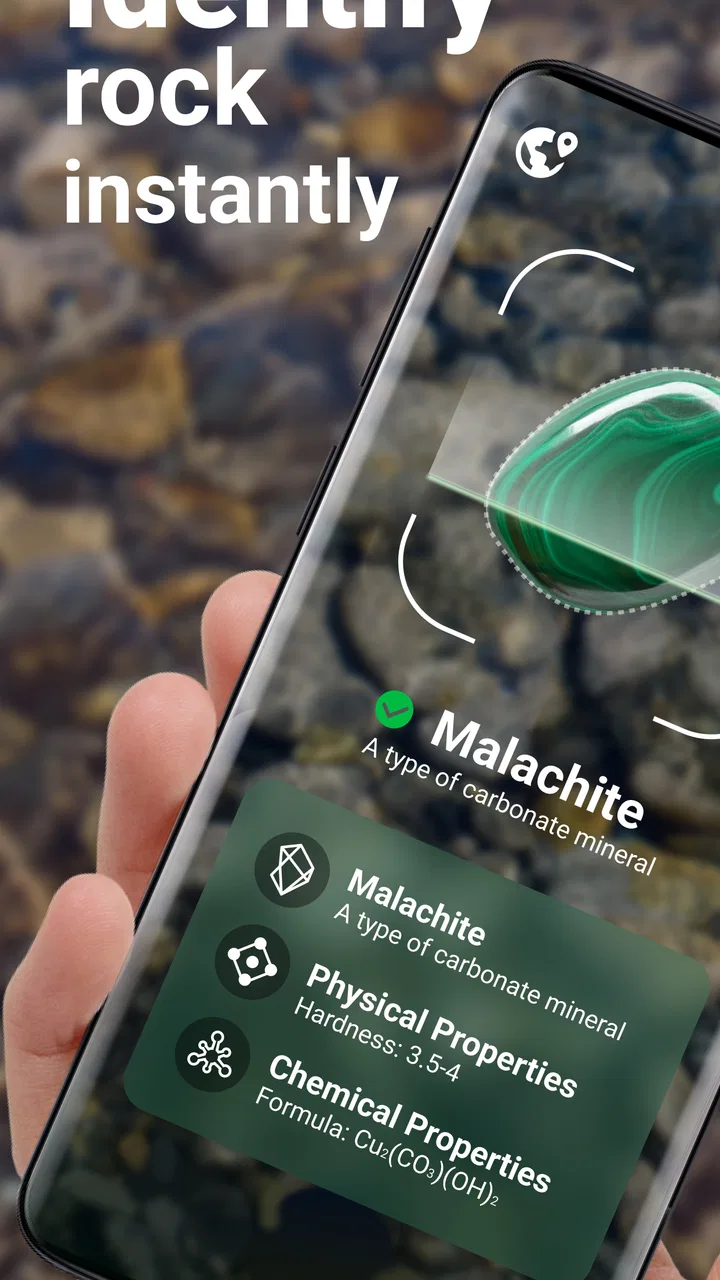
I tend to keep a few interesting stones on my desk, but curiosity usually stops at “that one looks like quartz.” Rock Identifier: Stone ID turns that small mystery into a quick activity: I point the camera at a rock, crystal, or mineral, and the app offers an identification to explore. After spending time with it, I see it less as a laboratory tool and more as a friendly field companion for walks, collecting, school projects, and household conversations.
That distinction matters. A photo-based identifier can be genuinely useful for narrowing down possibilities, yet a picture alone cannot replace a specialist examination. My best experiences came when I treated the result as a starting point, then compared the appearance, texture, location, and context before deciding what the specimen might be. For casual discovery, that approach makes the app enjoyable. For valuation, geological certification, or safety decisions, I would use a more authoritative source.
How Rock Identifier fits into everyday shared use
When I use Rock Identifier together, I find it works best as a shared observation tool rather than a verdict machine: one person can frame the stone while another describes its color, layers, or shine. That small division of roles makes the result easier to question and remember, and it sets up a practical routine for keeping several people’s discoveries straight.
You May Also Like

 Blood Strike: 2.5 Anniversary
Blood Strike’s Loadouts Turn Every Drop Into a Tactical Gamble
A close look at Blood Strike’s custom loadouts: how fast access to signature weapons reshapes its battle royale rhythm, rewards preparation, and narrows the gap between fights.

 Pandora - Music & Podcasts
Pandora’s Music Is Easy to Start, but Harder to Recover
Pandora’s strength is its low-effort path from a seed to a station. Its weak spot is how much confidence it asks you to place in connection, setup, and quiet recovery.

 8 Ball Pool
 Is Built on Rivalries, Rematches, and Routine
A close look at the rivalries, rematches, shared routines, and unanswered safety questions that turn a quick pool match into a persistent mobile community.

 Samsung Music
’s Quiet Strength Is Playing What You Already Own
Its reach comes less from spectacle than from dependable access to a personal library. That simplicity is both the app’s strongest retention engine and its ceiling.

 AccuWeather: Weather Radar
AccuWeather Review: A Quick, Clear Forecast for Everyday Decisions
For everyday plans, the best forecast is the one you can understand quickly. AccuWeather makes rain timing, radar, and local conditions easy to act on, with a few trade-offs.

 Hill Climb Racing
Why Hill Climb Racing Still Turns Crashes Into One More Run
A tiny car, a bumpy hill and one more upgrade: Hill Climb Racing keeps resurfacing because its simple chaos makes every near-miss feel personal.
More From Our News Desk
View All News


A simple activity for the whole household
The strongest household use case is a shared discovery moment. Imagine coming home from a walk with a pocketful of stones, placing them on the kitchen table, and taking turns photographing them. One person can handle the phone while another compares the suggested identification with the stone’s visible color, pattern, and shape. Children can participate without needing to understand geological terminology first, while adults can guide the conversation toward observation rather than simply accepting the first answer.
I like this workflow because the app gives an ordinary object a reason to hold everyone’s attention. Instead of searching broad image results and scrolling through unrelated pages, I can begin with the specimen in front of me. That makes it useful for a rainy-day activity, a nature walk, or a small collection that has been sitting in a drawer for years.
The app is free to install, which lowers the barrier for occasional use. It is developed by Next Vision Limited and belongs to the lifestyle category, a sensible placement for something that blends casual learning with personal curiosity. The store summary focuses on identifying rocks, crystals, and minerals by photo, and that is exactly the central experience rather than an unrelated collection of tools.
What I do before taking the picture
The quality of the photo has a direct effect on how helpful the result feels. I get better outcomes when the specimen fills most of the frame, the surface is reasonably clean, and the lighting shows its actual color instead of casting a strong yellow or blue tint. I also avoid placing several different stones together. A crowded image gives the camera too many visual cues and makes the result harder to interpret.
One useful habit is to take more than one view. I start with the most recognizable face, then photograph the side or underside if the first suggestion seems too broad. A banded pattern, crystal formation, grain, or reflective surface may be visible only from a different angle. This is a practical way to use the app that is easy to miss if you treat it as a one-tap answer machine.
I also compare similar-looking pieces instead of assuming that a shared color means a shared identity. Dark stones, pale translucent crystals, and weathered fragments can resemble one another in a phone image. Photographing them separately and keeping the results connected to the physical specimens helps prevent a common household problem: forgetting which result belonged to which stone.
Keeping the experiment organized on a shared device
Rock Identifier: Stone ID is particularly easy to use when one phone or tablet is passed around, but shared-device use needs a little discipline. I would create a simple household routine: photograph one specimen, write a short label on paper, and place the stone beside that label. If several people are exploring at once, this avoids mixing up photos and guesses later.
I would not assume that a shared device creates separate personal spaces inside the app. If multiple household members use the same phone, the practical boundary is the device itself and whatever the operating system provides. Someone who wants a completely separate personal record should use their own device or keep their notes outside the app rather than expecting automatic household profiles.
This is also worth remembering when a child borrows an adult’s phone. The app is marked for Everyone, so its general audience is broad, but that does not automatically answer every family question about camera access, purchases, or what else is available on the device. I would supervise younger users according to the phone’s normal settings and keep payment approval under adult control.
Setup: what to check before handing it over
The initial setup is straightforward in concept: install the app, open the camera-based identification experience, and begin with a specimen. The more important preparation happens around the app. Before passing the phone to someone else, I would check whether the device is signed into the correct store account, whether purchase approval is enabled, and whether the camera is comfortable for the person using it.
The app is free, but optional in-app purchases range from $0.99 to $39.99 per item. That makes the household boundary especially important. A child may reasonably understand “free to install” as “nothing can cost money,” while the store setup can still present paid items. I would explain that distinction clearly and make sure the adult responsible for the device knows where purchase confirmation is managed.
I would also avoid treating an identification as a permanent household record unless I had deliberately saved or written it down elsewhere. A casual session can be enough for a conversation, but a school assignment or growing collection benefits from a small notebook with the date, location, photo reference, and the app’s suggestion. That extra step turns a fleeting scan into a more useful observation log.
Coordinating discoveries between adults and children
For a family, the best division of labor is not “the app knows, so nobody needs to think.” I prefer giving each person a role. A child can choose the specimen and describe what they see. An adult can take the clearest photo and ask what features support the proposed identification. Another person can look for contradictions, such as a texture or pattern that does not match.
This approach makes the app a prompt for better questions. Is the stone transparent at the edge? Does it have visible layers? Is the surface glassy, dull, metallic, or grainy? Was it found on a beach, in a garden, beside a road, or in a shop? None of those observations should be replaced by a camera result, but together they make the activity more thoughtful and reduce overconfidence.
A useful coordination trick is to agree on a confidence habit. After every scan, we say “possible identification” rather than “definite identification.” If two photos produce different suggestions, that is not necessarily a failure; it is a reason to inspect the specimen more carefully or consult another source. This language is especially helpful with children because it teaches that science often involves testing and revising an idea.
For remote households, the same routine works through a shared conversation: one person photographs the stone, another asks for a closer image, and everyone compares what they notice. I would still keep the physical specimen and its notes together. A screenshot without a label can become meaningless when several similar rocks are involved.
Age, trust, and sensible expectations
The Everyone content rating makes the app approachable for a broad audience, and I can see why it works well for supervised family exploration. The subject is naturally educational without requiring a formal lesson. Still, age suitability and trust are separate questions. A young user may accept a confident-looking result without understanding that image recognition can be uncertain.
That is where adult guidance adds real value. I would encourage children to ask, “What else could this be?” rather than only “What did the app say?” I would also make clear that an attractive crystal is not automatically valuable, rare, or safe to handle. The app can help identify possibilities, but it should not be used to decide whether an unknown material is safe to touch, ingest, heat, break, or use in a craft.
Adults should be careful with claims about authenticity and worth. A photograph may resemble a known mineral while failing to reveal treatments, imitations, coatings, or important physical properties. If the stone is connected to a purchase, inheritance, collection, or potential sale, I would treat the app’s result as informal guidance only and seek an experienced gemologist, mineral club, museum resource, or geological professional.
Privacy also deserves ordinary common sense. Since the experience relies on photographing objects, I would keep faces, documents, addresses, and other unrelated personal details out of the frame. That is not specific to rocks; it is simply good camera hygiene when a child or guest is using a shared phone.
Where it is stronger than usual alternatives
The usual alternative is a general web search using a description such as “small green rock with white lines.” That can work, but it demands more vocabulary and patience. Search results often mix commercial listings, decorative stones, unrelated photographs, and highly specific geological examples. The dedicated camera workflow gets me to a plausible starting point faster, especially when I do not yet know which visual features matter.
Another alternative is a printed field guide. A good guide is often better for learning classification, comparing regional specimens, and understanding why an identification fits. It does not depend on a camera, battery, or image quality. However, it can feel slow when a household simply wants to begin exploring a handful of unknown stones. I see Rock Identifier as complementary rather than a replacement: use the app to narrow the field, then use a reliable guide to deepen the check.
Online communities can provide more nuanced human feedback, particularly when a clear photo is accompanied by location and physical observations. Their weakness is inconsistency: responses may take time, and confident guesses can still be wrong. The app offers immediate feedback, while a community or expert can offer discussion. Choosing between them depends on whether speed or careful interpretation matters more.
Limitations that affect real use
The biggest limitation is the camera itself. A phone photo compresses details, changes color under different lighting, and cannot show hardness, weight, streak, magnetism, cleavage, or internal structure. Two specimens that look alike may behave very differently in person. This means I would never use a scan as the only basis for a technical conclusion.
Surface condition can also mislead the process. Dirt, moisture, polish, labels, or a reflective coating may hide the features that distinguish one mineral from another. Washing a specimen may improve the image, but I would avoid cleaning anything valuable, fragile, or potentially hazardous without knowing what it is. Sometimes the safest choice is to photograph it as found and note the condition.
There is also a practical trade-off between convenience and depth. The app is excellent when I want a quick lead during a walk, but someone studying geology seriously may outgrow a photo-first workflow. A specialist resource can explain formation, local geology, diagnostic tests, and exceptions in a way an instant result cannot. The app earns its place as an accessible first step, not as a complete reference library.
Version, cost, and who should use it
The current version is 2.4.1, and the app supports devices running operating system version 9 or later. That makes it relevant to many older compatible phones as well as newer ones, although the actual comfort of the experience will still depend on camera quality, screen size, and general device performance.
With an average rating of 4.5 from around 112 thousand ratings, it has clearly attracted substantial interest, and it has passed 10 million installs. I read that reach as evidence that the basic idea connects with many casual users, not as proof that every identification will be correct. Ratings can tell me that people find the product appealing, but they cannot remove the need for sensible interpretation.
I would recommend it to curious walkers, parents planning a low-cost observation activity, students beginning a rock collection, and anyone who wants a faster first look at an unfamiliar stone. I would skip it as a primary tool if my goal were certification, professional mineral analysis, precise valuation, or a safety decision about an unknown substance.
My household verdict
After using it in the way I think works best, I see Rock Identifier: Stone ID as an inviting bridge between a camera and the natural world. Its real strength is not that it ends the investigation; it gets the investigation moving. A child can notice a pattern, an adult can improve the photo, and everyone can compare the suggestion with what is actually in their hands.
The household boundaries are equally important. The app is free to start, but the available in-app purchase range means adults should manage spending on shared devices. The Everyone rating makes it approachable, but younger users still need help understanding uncertainty, privacy, and the difference between identification and proof. I would keep notes outside the app for anything worth remembering and avoid assuming that separate family members have separate spaces unless the device setup provides them.
My final recommendation is positive, with one condition: use it as a conversation starter and a research shortcut, not as an authority. When I photograph one clean specimen at a time, compare multiple angles, record where it came from, and verify anything important elsewhere, the experience is genuinely useful. For a household that enjoys small discoveries, that balance makes this lifestyle app worth trying.
FAQs for Rock Identifier: Stone ID
01What is Rock Identifier: Stone ID and how does it work?
Rock Identifier: Stone ID is a mobile app designed to help users identify various types of rocks and minerals. By simply taking a photo of a rock, the app analyzes its features and provides information about its type, composition, and classification. It's an essential tool for geology enthusiasts and students looking to learn more about the natural world.
02Can Rock Identifier: Stone ID be used offline?
Rock Identifier: Stone ID requires an internet connection to access its extensive database and perform accurate identifications. While some features may be available offline, such as previously saved identifications, a connection is essential for real-time analysis and updates. Make sure to have a stable connection for the best experience.
03Is Rock Identifier: Stone ID suitable for beginners in geology?
Yes, Rock Identifier: Stone ID is designed with ease of use in mind, making it suitable for both beginners and experienced geology enthusiasts. The app provides detailed descriptions and educational content, making it a great learning tool for those new to rock and mineral identification, as well as a handy reference for seasoned hobbyists.
04Are there any costs associated with using Rock Identifier: Stone ID?
Rock Identifier: Stone ID is available for free, but it may offer in-app purchases or a premium subscription for additional features, such as ad-free usage or access to a more extensive database. Users can enjoy the basic functionalities without payment, but premium options are available for those seeking an enhanced experience.
05How accurate are the identifications made by Rock Identifier: Stone ID?
The accuracy of identifications in Rock Identifier: Stone ID depends on the quality of the photo and the distinctiveness of the rock's features. While the app utilizes advanced algorithms and a comprehensive database for analysis, results may vary. Users are encouraged to take clear, well-lit photos for the best results and cross-reference with other sources if necessary.
Pros
- Accurate stone identification
- User-friendly interface
- Extensive rock database
- Offline mode available
- Educational insights provided
Cons
- Limited free features
- Occasional app crashes
- Ads can be intrusive
- Requires camera access
- No social sharing options

Rock Identifier: Stone ID
Gallery